I’ve been writing code in VS Code since it was a lightweight editor that people compared to Sublime Text. The thing that made it win was that it never stopped evolving. But what’s happened in the last few months isn’t evolution. It’s a category shift.
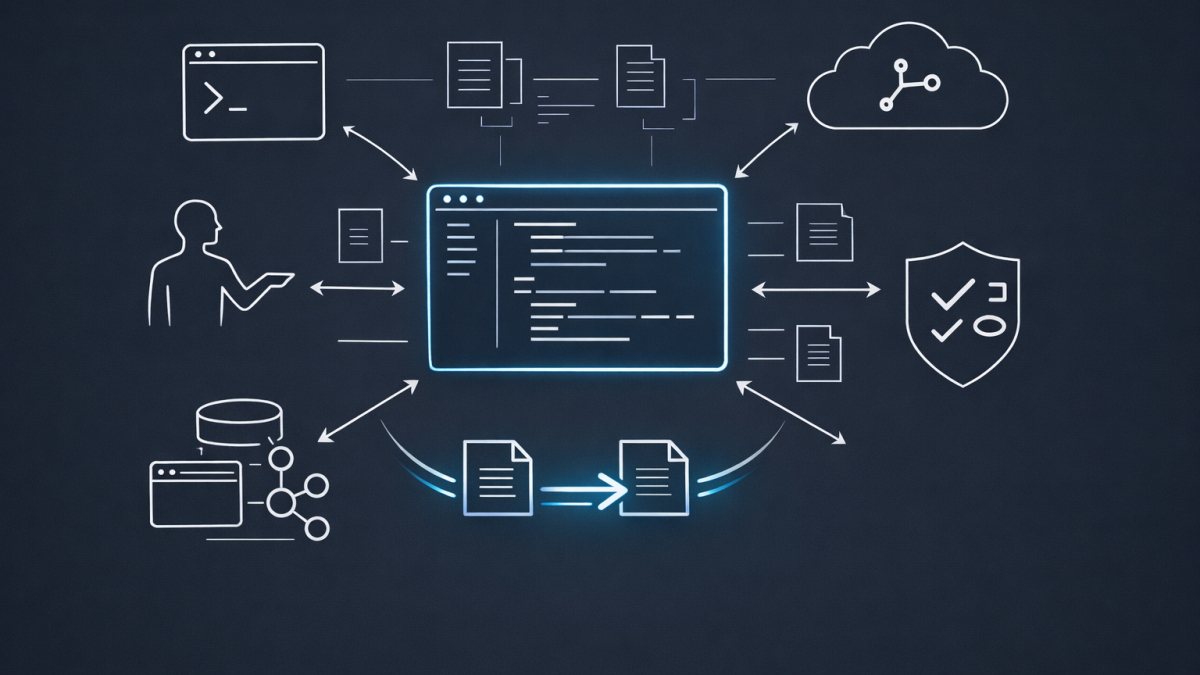
VS Code is no longer a code editor with AI bolted on. It’s an agent orchestration platform that happens to edit files.
The Old Model Was Always Limited
Let’s be honest about what Copilot autocomplete actually was. You typed, the model guessed, you hit Tab. It was impressive in 2022. By 2025 it was table stakes. Every editor had some version of it — Cursor, Windsurf, Zed, even JetBrains.
The problem was that autocomplete operates at the wrong level of abstraction. It completes the line you’re writing. It doesn’t understand the task you’re trying to accomplish. It can’t read a failing test, trace the bug to a different file, fix it, rerun the tests, and come back to you with a clean diff.
That’s the gap VS Code just closed.
Agent Mode Changes the Contract
The shift started when VS Code introduced agent mode in Copilot Chat. Instead of answering questions or suggesting code, the agent plans, edits files across your project, runs terminal commands, installs dependencies, and self-corrects when something goes wrong.
I’ve been using it daily. The experience is fundamentally different from autocomplete. You describe what you want at a high level — “add authentication to this API” — and the agent figures out which files to touch, what order to work in, and what to verify when it’s done.
The key design decision Microsoft got right is the permission model. You can approve every tool call, auto-approve safe operations, or switch to full autopilot and let the agent run until the task is done. That spectrum matters because trust is earned incrementally. I started on full approval. Within a week I was running most tasks on autopilot.
Three Agent Types, One Workspace
What makes VS Code’s approach different from competitors is the agent architecture. There are now three distinct agent types, all managed from a single sessions list:
Local agents run interactively in your editor. They see your workspace, your tools, your MCP servers, your extensions. When I need to iterate on something — debug a failing test, explore an idea, refactor with feedback — this is what I use.
Copilot CLI agents run in the background on your machine. They can use Git worktrees for isolation, so the agent works on a separate branch while I keep coding on main. The /fleet command lets me dispatch multiple agents in parallel. I’ve run six concurrent agents — one per microservice — and had them all come back with PRs within minutes.
Cloud agents run remotely on GitHub’s infrastructure. Assign an issue to Copilot, walk away, and come back to a pull request. The cloud agent now picks its own model, runs Copilot code review on its own output, and performs security scanning (code scanning, secret scanning, dependency checks) before it even opens the PR. That’s not a suggestion engine. That’s a junior engineer who never sleeps.
The real power is handoff. Start with a local agent to plan, hand off to CLI for parallel proof-of-concepts, then delegate to cloud for the final PR. Context carries across all three. No re-explaining, no starting over.
Custom Agents Are the Sleeper Feature
The feature that changed my workflow the most isn’t the built-in agents. It’s custom agents.
Drop a .agent.md file in .github/agents/ and you’ve defined a new persona with its own instructions, tools, and behaviour. I have agents for content publishing, code review, security audits, and infrastructure planning. Each one knows its domain, follows specific rules, and uses specific tools.
This is what makes VS Code an agent platform rather than just an editor with a chatbot. The agents are composable, shareable across your organisation, and version-controlled alongside your code.
MCP Servers Broke the Walled Garden
The other architectural decision that matters is MCP (Model Context Protocol) support. Any MCP server — Playwright for browser automation, database connectors, external APIs, custom tooling — plugs directly into the agent loop.
This means the agent isn’t limited to reading and writing files. It can query a database, interact with a running application in the browser, call your deployment API, or hit any internal service you expose through MCP. The IDE becomes the control surface for your entire development workflow, not just your source code.
I’ve connected MCP servers for WordPress publishing, LinkedIn posting, image generation, and Azure deployments. The agents chain these tools together without me having to script the glue code.
What This Means for How We Work
The honest assessment: this is the biggest change to how I write software since I adopted AI-assisted coding in the first place.
Autocomplete made me faster at typing code. Agents make me faster at shipping outcomes. The difference isn’t incremental — it’s structural. I spend more time describing what I want and reviewing what comes back. Less time context-switching between files, terminals, and browser tabs.
That said, agents don’t replace engineering judgment. They amplify it. A bad prompt produces bad output faster. An architect who can decompose a problem clearly and review output critically gets more leverage from agents than someone who just says “build me an app.”
The IDE stopped being a place where you write code. It became a place where you direct work.
Where This Is Heading
VS Code now supports third-party agent harnesses from Anthropic and OpenAI directly inside the editor. You can pick your model per session. You can run Claude, GPT, or Gemini-backed agents side by side and compare results.
The trajectory is clear: the IDE is becoming the orchestration layer for all AI-assisted development, regardless of which model or provider you prefer. Microsoft is betting that the workspace — not the model — is the durable competitive advantage.
Looking at what shipped in the last 90 days — agent mode, custom agents, MCP integration, CLI with /fleet, cloud agents with self-review and security scanning, third-party agent support, permission tiers, session handoff — this is the most aggressive product evolution I’ve seen from any developer tool. And it’s not slowing down.
The IDE just got redefined. The only question is how quickly you’ll let the agents in.
