In this blog post OpenClaw and the Agent Wave Should You Use It or Ban It we will explore what OpenClaw is, why it’s spreading so fast, and how I’d decide whether to allow it, restrict it, or ban it in an enterprise.
I’ve been watching a pattern repeat across Australia and internationally. The moment an AI tool moves from “help me think” to “help me do”, adoption stops being a tech trend and starts becoming an operational risk question.
OpenClaw and the Agent Wave Should You Use It or Ban It is really a governance question disguised as a tooling debate. OpenClaw isn’t just another chatbot. It’s an agent platform that can be given real access to systems, files, browsers, and credentials, and then asked to execute tasks end-to-end.
High-level what OpenClaw actually is
At a high level, OpenClaw is an open-source “agent” runtime. Instead of a user copying text in and out of a chat window, you can connect OpenClaw to channels like chat apps, developer tools, ticketing systems, or even a browser session, and have it carry out multi-step work.
This is why it’s being described as one of the fastest-spreading tools in the agent category. It’s lightweight to start with, it’s open, and it fits the way teams already work: messages, tasks, and automations.
Why this matters to business leaders
When I talk to CIOs and technology leaders, the question is rarely “is it impressive?” It usually becomes “what is it doing in my environment, what can it reach, and who is accountable when it goes wrong?”
In my experience, that’s the correct framing. Agentic tools collapse the distance between a suggestion and an action. That’s the productivity upside. It’s also the control-plane risk.
The main technology behind OpenClaw in plain language
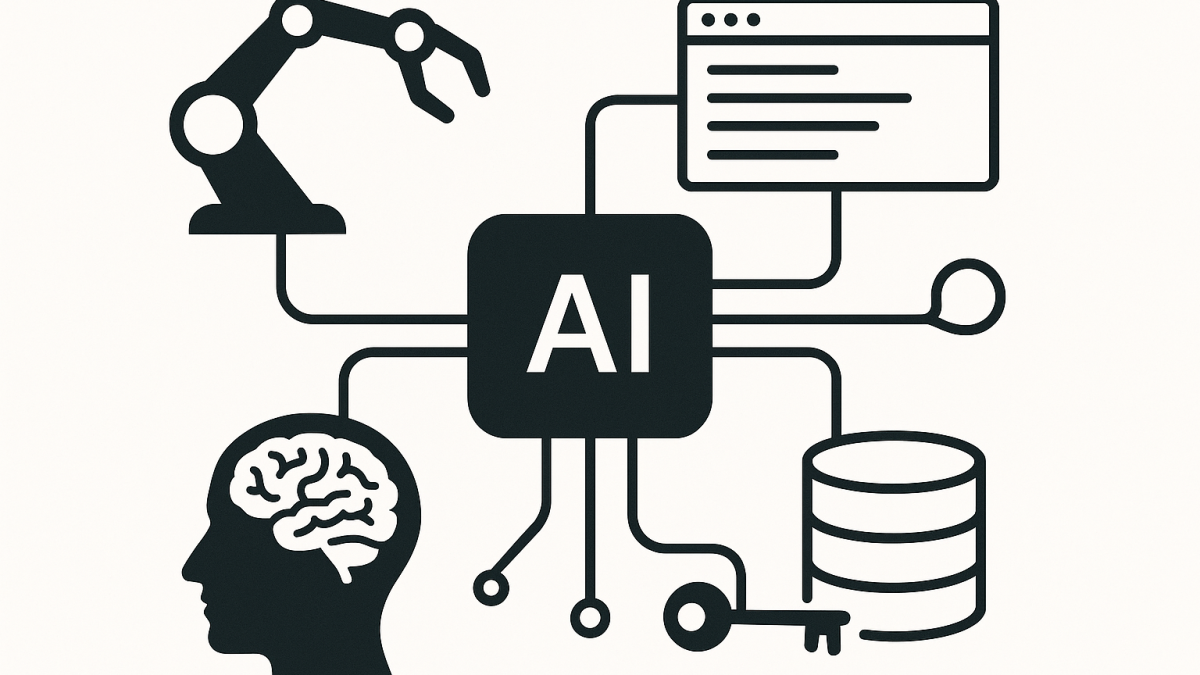
OpenClaw sits in the middle of four moving parts. If you understand these, you can reason about both value and risk without getting lost in hype.
1) A large language model as the “reasoning engine”
OpenClaw itself is not “the brain”. It typically connects to one or more large language models, like GPT-style models or Claude-style models, depending on what you configure.
The model generates plans and decides what to do next based on context. The important detail for leaders is this: models are probabilistic. They can be brilliant, but they can also confidently do the wrong thing if the prompt, context, or tool outputs mislead them.
2) Tools and skills as the “hands”
What makes an agent an agent is tool use. OpenClaw can be given “skills” that do real actions, such as calling an API, reading/writing files, running commands, opening a browser, or interacting with external systems.
Once you give it hands, the quality of your permissions and guardrails becomes more important than the cleverness of your prompts.
3) Connectors as the “nervous system”
Most organisations don’t want yet another app. They want automation where work already happens: chat, tickets, repos, CI/CD, and knowledge bases.
Connectors make that possible. They also create lateral movement pathways if not governed properly, because they often rely on tokens, API keys, and delegated access.
4) Memory and context as the “long-term risk surface”
Agents often store context to be useful. That can include conversation history, retrieved documents, tool outputs, and sometimes “notes” or “profiles”.
From a security perspective, that’s where data leakage and retention problems show up. From a compliance perspective in Australia, that’s where privacy and records obligations can be unintentionally triggered.
The real question Use it, restrict it, or ban it
I don’t think “ban by default” is a strategy that holds for long. It usually pushes tools into shadow IT and makes your risk posture worse, not better.
But “allow by default” is also reckless for autonomous agents. The middle path is usually the strongest: allow in controlled lanes with clear boundaries, logging, and a kill switch.
My decision framework for OpenClaw in an enterprise
As a Solution Architect and Enterprise Architect, I’ve learned to separate three things: the platform, the permissions, and the use cases. If you collapse them, everything turns into an emotional debate.
1) Start with use cases, not features
Pick 3 to 5 high-value, low-blast-radius use cases. For example, “draft release notes from merged PRs” is safer than “triage customer emails and respond automatically”.
If the first approved use case requires production write access, you’ve started in the wrong place.
- Good early use cases: internal documentation summaries, code review assistance, backlog grooming suggestions, build log analysis, test generation in non-prod.
- Higher-risk use cases: autonomous production changes, finance approvals, customer communications, identity and access administration.
2) Classify OpenClaw as a “privileged automation” system
In many organisations I’ve worked with, automation tooling ends up with more power than any single human account. It accumulates tokens, secrets, and broad access “because it needs to work”.
Treat OpenClaw like you would treat privileged access management. That mental model improves decisions immediately.
3) Create an enterprise-safe runtime lane
If you’re going to allow it, define where it can run. In my experience, the biggest mistakes happen when agents run on developer laptops with long-lived credentials and unclear logging.
- Prefer a controlled environment over endpoints for anything beyond experimentation.
- Use separate identities for agents. No shared user accounts.
- Use short-lived tokens where possible. Rotate secrets aggressively.
- Log tool calls and key actions, not just chat transcripts.
4) Apply Essential Eight thinking to agent permissions
In Australia, the Essential Eight is a practical lens. It won’t answer every AI nuance, but it forces the right habits: application control, least privilege, patching, and restrict admin privileges.
For agents, I map it like this. Application control becomes skill allowlisting. Restrict admin privileges becomes “no agent with standing production admin”. Patching becomes keeping the runtime, dependencies, and skill packages current.
5) Plan for prompt injection and indirect manipulation
One pattern I keep running into is that leaders assume the “prompt” is only what the employee typed. With agents, prompts can be hidden in web pages, emails, documents, issue comments, and logs.
That’s how you get an agent that was asked to “summarise a ticket” but ends up being instructed by the ticket content to do something else. If the agent has tools, that becomes more than an embarrassing output. It becomes an action.
- Do not let agents execute arbitrary commands from untrusted content.
- Strip or sandbox content fetched from the internet or external senders.
- Use explicit confirmation steps for high-impact actions.
A practical policy I’ve seen work
Policies fail when they only say “no”. The most effective approach I’ve seen is a tiered policy with clear lanes.
Lane 1 Personal experimentation
Allowed on non-corporate data, with no access to internal systems. This reduces shadow IT pressure while protecting the organisation.
Lane 2 Approved development use
Allowed in dev/test with restricted connectors and a controlled model/provider configuration. Central logging is mandatory.
Lane 3 Production automations
Only allowed after a lightweight threat model, explicit data classification review, and a rollback plan. Changes are traceable to an owner, like any other production system.
An anonymised scenario from the field
A mid-sized organisation wanted an “AI that does the boring work”. The first idea was to let an agent watch Teams chats, pick up requests, and go and “fix things” in Microsoft 365.
On paper, it sounded efficient. In practice, it would have required broad Graph permissions, access to mailboxes and SharePoint, and the ability to change configurations. That is effectively a super-admin bot with natural language triggers.
We shifted the starting point. Instead, we deployed an agent in a constrained lane that could only do three things: read a ticket queue, draft a proposed response, and generate a step-by-step runbook for a human to approve. Productivity improved, and the risk dropped dramatically.
A simple technical mental model for developers and IT leaders
If you’re explaining this internally, I use a short statement.
Chatbots generate text. Agents generate actions.
And actions require governance. The more “hands” you give the agent, the more it behaves like a new kind of privileged identity in your environment.
What I’d do on Monday morning if OpenClaw is already in your org
- Inventory where it’s running and who is using it. Assume it exists even if it’s not officially approved.
- Identify credentials it can reach. API keys, tokens, local secrets, cached sessions.
- Reduce permissions to minimum viable access. Start by removing production write access.
- Turn on logging for tool calls and execution paths, not just chat history.
- Define approved lanes so teams have a safe place to use it without going underground.
So should you use it or ban it
My honest answer is that most organisations should do neither extreme. OpenClaw-style tools are a preview of the next interface to work, especially for developers and operations teams.
The sustainable strategy is to treat agents as privileged automation, approve a narrow set of use cases, and build governance that scales as capability grows.
I’m increasingly convinced that the winners won’t be the organisations that adopted agents first. They’ll be the ones that learned how to give agents just enough power to be useful, without turning them into invisible administrators. What “lane” makes sense for your organisation right now?
