In this blog post Use Both Claude and ChatGPT Every Day Here’s When I Use Which we will explore how I decide which model to use in real work, why it matters for quality and speed, and the practical patterns that hold up in enterprise environments.
I’ve been building and operating enterprise systems for more than 20 years, and one pattern I keep running into is this: leaders don’t need “more AI.” They need reliable outcomes and a repeatable workflow that reduces risk, rework, and surprise.
The title of this post, Use Both Claude and ChatGPT Every Day Here’s When I Use Which, is literal. I run them in parallel because they’re not interchangeable in day-to-day architecture, security, and delivery work.
High-level idea: treat them like two senior colleagues
At a high level, I think of Claude and ChatGPT as two different senior colleagues you bring into a room. Both are capable. Both will occasionally be wrong. But they tend to be wrong in different ways, and they tend to be strong in different parts of the work.
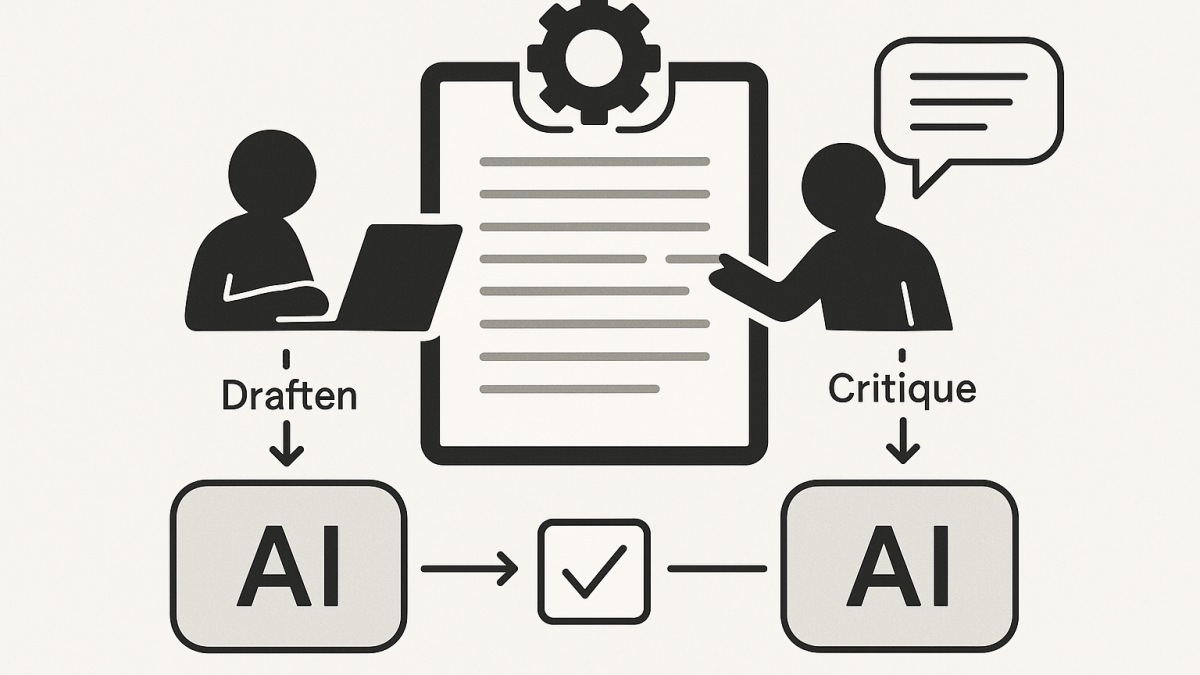
In practice, that means I use one model to generate a first pass and the other to critique it, tighten it, or stress-test it. This “two brains” approach is one of the simplest ways I’ve found to reduce hallucinations and shallow reasoning without turning AI into a science project.
The technology behind it, explained without the hype
Both Claude and ChatGPT are large language models (LLMs). They don’t “look up truth” the way a search engine does. They predict the next token (word fragment) based on patterns learned from training data, plus the context you provide in the conversation.
That context matters more than most people expect. When you paste an architecture diagram description, a policy excerpt, a backlog, or a set of logs, you’re effectively giving the model a working set of information to reason over.
Modern chat assistants also come with tooling around the model. For example, ChatGPT can run code and analyse files in a sandboxed environment. Claude has a workflow that can present substantial “standalone” outputs in a separate working area (often used for documents, code, or prototypes) so you can iterate without losing the thread.
So yes, the core is probabilistic language prediction. But the real productivity boost comes from the combination of: (1) strong reasoning in-context, and (2) useful tools for working with files, code, and long-form artifacts.
My default split: Claude for careful writing and synthesis, ChatGPT for analysis and implementation
If you forced me to summarise my daily usage in one line, it would be this: I use Claude when I want a thoughtful, structured narrative and ChatGPT when I want to do something concrete with data, code, or repeatable steps.
That’s not a claim about which is “better.” It’s simply how they tend to behave for the work I do across Azure, Microsoft 365, AI platforms, and cyber security.
When I reach for Claude
- Executive-friendly writing: turning messy notes into a board-ready narrative, risk memo, or strategy one-pager.
- Synthesis across many inputs: combining stakeholder viewpoints and constraints into a coherent architecture decision record (ADR) draft.
- “Make it readable” work: policy, standards, operating model docs, and communications where tone matters.
- Thinking in trade-offs: clarifying the “why,” not just the “how,” especially when there are competing priorities.
Claude is often my choice when the output needs to sound like an experienced human wrote it. That’s important for decision-makers who don’t have time to translate technical chaos into business language.
When I reach for ChatGPT
- Data analysis and file wrangling: exploring CSVs, exporting charts, finding anomalies, summarising trends.
- Rapid prototyping: turning an idea into code, then iterating with tests and edge cases.
- Implementation checklists: “What do we actually do on Monday?” plans for migration waves, identity clean-up, or security uplift.
- Explaining technical concepts with examples: especially when I want a short demo snippet in PowerShell, Python, KQL, or Bicep/Terraform-like structure.
ChatGPT is often my choice when I want something executable or verifiable. If I can test it, I trust it faster. If I can’t test it, I treat it as a draft that needs review.
The decision framework I actually use (simple, repeatable)
Here are the questions I ask myself before I type a prompt. This is the part leaders can operationalise across teams.
1) Is the output primarily “words” or “work”?
If the output is a narrative that needs judgement, tone, and synthesis, I start with Claude. If the output is analysis, code, or step-by-step execution, I start with ChatGPT.
2) Do I need a second opinion to reduce risk?
For anything security-sensitive or politically sensitive (which is a lot of enterprise work), I always do a second pass in the other model.
I’ll ask the second model to critique, not to rewrite. The best prompt is often: “Assume the first draft has blind spots. What are they?”
3) What’s the failure mode I can tolerate?
In architecture, the most expensive failures are usually not syntax errors. They’re assumptions that go unchallenged.
So if I’m dealing with identity, privileged access, segmentation, or data classification, I don’t care how fluent the answer is. I care whether it forces the right questions to the surface.
Real-world scenario (anonymised): AI helped, but the “two model” workflow saved time
Recently I worked with an organisation (Australian, regulated, multi-cloud reality) that wanted to introduce AI-assisted workflows for engineering and operations. The early excitement was real, but the risk was also real.
They had three competing needs:
- Speed: reduce time spent on repetitive documentation and runbooks.
- Security: align with ASD/ACSC guidance and internal controls, including Essential Eight maturity uplift.
- Quality: avoid “confidently wrong” outputs that create hidden operational debt.
Here’s how I approached it in practice.
Step 1: Claude produced the first narrative
I fed Claude the messy reality: current state constraints, the target outcomes, known audit pain points, and the internal language leaders already used. Claude drafted a clean operating model description and a set of usage guardrails that actually sounded like the organisation.
This mattered because if leaders don’t recognise themselves in the document, they won’t adopt it.
Step 2: ChatGPT stress-tested it with “operational reality” questions
Then I asked ChatGPT to attack the draft from a delivery perspective. Where would engineers misunderstand it? What would SREs do at 2am? Which controls were ambiguous? Which steps were missing for identity, logging, and approvals?
That critique phase found gaps that were easy to miss in a beautifully written narrative, including a few “who owns this” moments that would have turned into incidents later.
Step 3: Claude rewrote with the critique baked in
Finally, I took the critique back into Claude and asked for a tighter, clearer version with less ambiguity. The result was a policy-and-practice document that was easier to implement and easier to audit.
Net effect: the team spent less time debating, and more time executing. And importantly, the document didn’t read like it came from a generic AI template.
Practical daily patterns that compound over time
If you want this to work beyond a single person, you need lightweight habits that scale. These are the ones I’ve seen stick.
Pattern 1: “Draft in one, critique in the other”
This is my default for anything that matters. It’s fast, and it reduces the chance you ship a single-model blind spot into production decision-making.
- Claude draft → ChatGPT critique → Claude final (for executive docs)
- ChatGPT prototype → Claude review → ChatGPT refine (for code and runbooks)
Pattern 2: Make assumptions explicit
Before I accept an output, I ask for: assumptions, dependencies, and “what would change my mind.” This is architecture discipline, not AI magic.
Here’s a prompt snippet I reuse constantly:
List:
1) assumptions you made
2) what you would need to verify in the environment
3) the top 5 risks if those assumptions are wrong
4) the smallest safe next step
Pattern 3: Keep sensitive context out by design
Even when tools promise privacy controls, my enterprise habit is to minimise what I share. I anonymise. I summarise. I avoid pasting secrets, client identifiers, or anything that would fail the “front page of the paper” test.
In Australian environments, I also find it useful to align AI usage guidance with the same thinking we apply to security controls: least privilege, separation of duties, and auditability.
Pattern 4: Use AI to improve clarity, not to replace ownership
One thing I tell teams is simple: you can delegate typing, but you can’t delegate accountability.
If a risk register entry is wrong, “the model said so” won’t help. The value is in accelerating drafts and making trade-offs visible faster, so humans can decide and own the outcome.
Where this lands for leaders
For CIOs, CTOs, and IT directors, the question isn’t “Which model is best?” The better question is: “What workflow gives us reliable decisions, faster, with less rework and fewer surprises?”
In my experience, using both Claude and ChatGPT every day is less about preference and more about resilience. Two different systems, two different strengths, and a simple discipline of cross-checking.
I suspect the next evolution isn’t that models will become perfect. It’s that leaders will standardise the operating patterns around them, the same way we standardised CI/CD, change management, and incident response.
What would change inside your organisation if “draft + critique” became a default habit, not an optional one?
